
Description
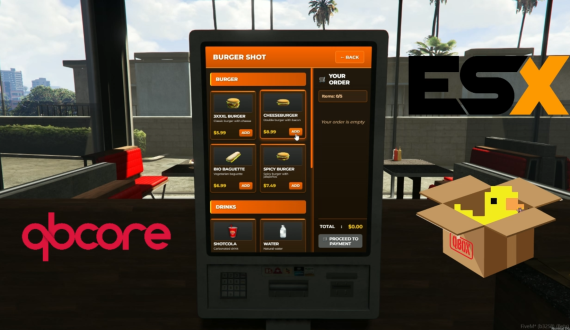
This is a comprehensive and fully functional Burger Shot script for FiveM RP servers, featuring a complete ordering system with immersive gameplay mechanics. Players can order food, pay with cash or card, receive their orders from an NPC worker, and place trays on tables to access their meals.
Key Features
Realistic Ordering System: Interactive menu with categorized food items and drinks
Dual Payment Methods: Support for both cash and card payments
NPC Worker Interaction: Animated NPC worker who hands over orders to players
Tray Carrying System: Players physically carry trays with visible food items
Table Placement: Place trays on designated tables throughout the restaurant
Multi-language Support: Built-in translations for Italian, English, French, Spanish, and Romanian
Framework Compatibility: Supports ESX, QBCore, and QBox frameworks
OX Inventory Integration: Seamless integration with ox_inventory for item management
Custom UI: Professional, responsive interface with Burger Shot branding
Target System: Uses ox_target for intuitive interactions
Gameplay Flow
Order Placement: Players approach ordering stations and browse the menu
Payment: Choose between cash or card payment methods
Order Preparation: NPC worker prepares the order
Order Pickup: Player collects the tray from the worker
Table Placement: Player carries tray to an available table
Meal Access: Open tray inventory to retrieve food items
Menu Items
Burgers: 3XXXL Burger, Cheeseburger, Bio Baguette, Spicy Burger
Drinks: Shotcola, Water, Coffee
Sides: French Fries
Technical Requirements
ox_inventory: For item management and stash system
ox_target: For interaction points
oxmysql: For database functionality
One of: ESX, QBCore, or QBox framework
Credits
MLO Map: Burger Shot interior map from MLO Burgershot 2023 Add-On SP/FiveM
Prop Pack: Custom Burger Shot props from NPDS Burgershot Proppack
Installation
Ensure all dependencies are installed and configured
Add the resource to your server
Configure the framework settings in config.lua
Add required inventory items to your ox_inventory setup
Restart the server